A workshop of supports and empty holes
The screw has to go somewhere
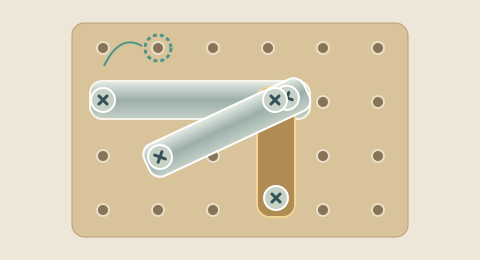
Select an exposed screw, then choose an empty mounting hole on the workbench. The screw moves to that hole and remains on the board. It does not vanish into a collection tray. An occupied hole cannot receive another screw, and a hole hidden behind a solid part of a plate is unavailable. The highlighted destinations show where your selected screw can legally go. Select the same screw again to cancel your choice.
Read the supports before moving
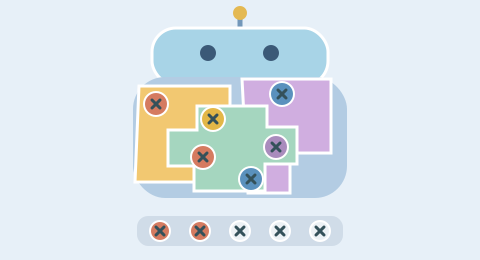
Two supported mounting points hold a plate in place. Removing one support lets it swing around the remaining screw, subject to the edge of the workbench. Removing its last support sends the plate into the catch tray. Older layouts can share mounting points; the current second level starts with independent screw positions for each plate. Watch what opens after a release rather than assuming every visible screw is equally useful.
BEFOREMove one support
AFTERThe remaining screw is the pivot
Space is a position, not a color
Every screw on this mechanical board serves the same purpose. Eight enamel colors distinguish the plates visually; their colors do not form matching sets. The empty positions move around as screws are transferred. A screw parked away from a plate can be moved again later if you need that exact hole. A plate that has already fallen stays in the catch tray unless you use Undo.
Two levels use the same rules
Level 1 starts with three components and two empty mounting holes. The current Puzzle Level 2 uses forty-eight crossing components, ninety-six independent starting fasteners and only three empty mounting holes. Some areas overlap twelve to seventeen plates, so removing a visible component can reveal several new decisions beneath it. The extra empty positions do not remove the need to plan: a swinging plate can cover a destination you intended to use. Both levels use physical mounting positions, so the warm-up teaches the interaction you will use in the challenge. There is no switch to color matching when you change levels.
Look for a release sequence
Before committing, identify a plate you want to release and count the screws that still support it. Consider where those screws will go and which other plates use those supports. Moving a spare screw around without changing any support is legal, but may make no progress. A useful sequence frees a component, exposes another mounting point, or places an empty hole where it will be needed next.
Recover without losing the experiment
Current Puzzle runs allow one Undo and one safe Hint per attempt; Level 2 also offers one Rescue to add working space. Undo restores the preceding arrangement, including the positions of screws and plates. It does not reduce the recorded move count. Retry restores the exact starting layout. New layout chooses from the verified mechanical library using a new seed, so the geometry can vary, although a finite library can sometimes select the same structure. These practice controls are free. The timer records active play and does not impose a deadline.
A complete route behind every board
Each mechanical library entry includes a route that clears every plate, replayed under the same rules used by the game. This verifies the starting position, not every later choice. Hints search for a complete continuation from your current state within a bounded search budget. If a safe route cannot be found in that budget, the game says so rather than guessing that the position is impossible.
How this workshop differs
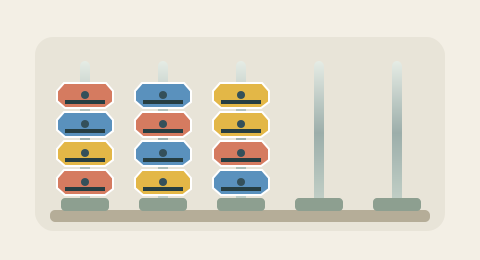
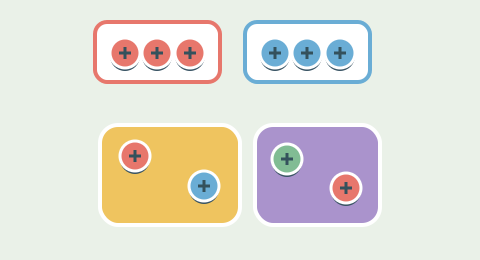
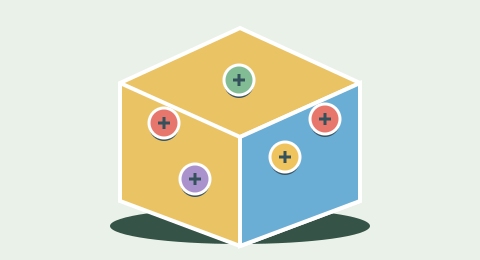
Screw Puzzle is about support, access and empty mounting positions. Screw Sort instead moves the top nut between rods, and Screw Jam collects groups of three into a shared buffer. The mechanical board has its own metal components, wooden backboard and gravity animation. Its success condition is simply that every plate has been released; screws may still remain safely parked on the backboard.
Browser controls and local practice
Use a pointer or Tab and Enter to select available controls. Audio is optional. Leaving the tab pauses active play, and reduced-motion preferences shorten move transitions. On narrow screens the detailed Puzzle and Jam boards can be panned to keep screw targets readable.
The game stores its versioned move sequence on this device. Only a compatible connected service can award verified points or badges. Clear site data to remove local saves. Old versioned challenge links continue to use their original rules.
Common questions
How do I start?+
Select an exposed screw on the mounting board. Choose an empty mounting hole to move it into.
What is the goal?+
Release every plate. Screws stay parked on the board.
Does Level 2 change the rules?+
Both levels use the same core interaction. Level 2 changes the arrangement and constraints: more connected plates in Puzzle, more colors and capacity in Sort, or deeper shells and a five-slot buffer in Jam.
Can a starting layout be impossible?+
Each accepted starting layout has a complete route checked by the game rules. Later choices can still block progress. A hint search that runs out of budget is not proof that your current position is impossible.
How do Undo and Hint work?+
Current games allow one Undo and one safe Hint per run. Level 2 also offers one Rescue to add temporary space. Undo restores the preceding state without reducing cumulative moves. Hint highlights a move only when a complete continuation is found within the search budget.
Will my layout be saved?+
The current versioned move sequence is saved in this browser when local storage is available. On return, choose Continue or Start fresh. Retry keeps the seed; New layout selects a new seeded arrangement.
Does this version award points or badges?+
The games are playable as local practice. Verified points and badges require a compatible service that checks the complete move sequence.
Can I share the same challenge?+
Share layout copies a link containing the mode, engine version, level and seed. Older versioned links keep their original mechanics. A shared layout is not a verified result.