Make room for the next layer
Dismantle the factory model
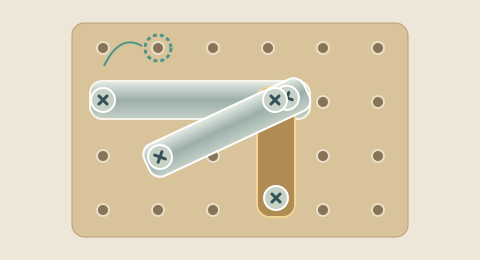
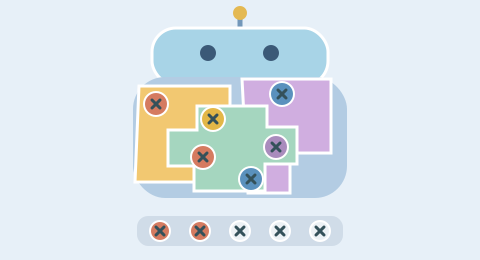
The factory board combines a robot-shaped frame with overlapping colored shell components. Select a screw only when its head is exposed. Screws on deeper layers can be available if nothing covers them, so you do not always have to finish an entire upper layer first. Removing all the screws on a component releases it and reveals more of the mechanism. A component with one off-center support can swing before it drops.
Three matching screws recover space
Selected screws enter one shared buffer. Collect three of the same color and they are removed together, making room for the next choices. Clearing a shell does not empty the buffer by itself. On Level 2 the buffer has five positions, so incomplete groups compete for a small amount of space. The game resolves a completed match before checking whether the buffer is full; filling the last position with the third matching screw is a successful match.
BEFOREFour slots occupied
AFTERA third red clears the group
Recognize the two-pair trap
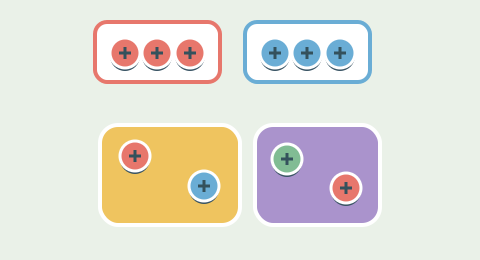
Two red screws and two blue screws occupy four of the five challenge slots. With one slot left, a third red or blue can rescue the position. A new unrelated color will fill the buffer without producing a match. Think about this one move earlier: if neither matching third screw is exposed, it may already be too late. Use the visible plate supports to judge what you would need to remove to reach the required color.
A good match also opens the board
A screw can help in two ways at once: completing a color group and releasing the shell that it supports. Those moves are especially useful because they recover working space and increase your choices. Sometimes you must collect an unmatched color to uncover something valuable. Make that choice as part of a short sequence with enough room to finish, rather than assuming the next layer will supply whatever is missing.
The second level keeps its depth
Level 1 introduces the buffer and plate releases with three colors and room to experiment. Level 2 retains the deep overlapping challenge: seventy-two components, seven colors and a five-slot buffer. Its seeded board comes from verified structural layouts with color and geometric variations. The deeper board asks you to plan access and buffer space together. The timer records your attempt without forcing you to rush.
Read the factory clearly
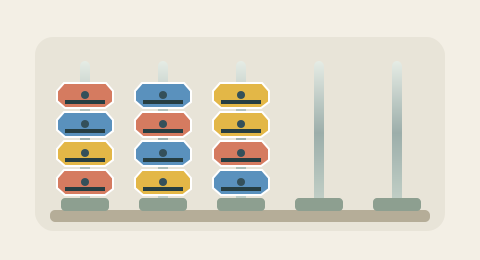
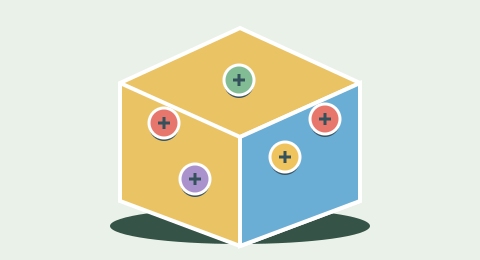
The factory uses colored enamel-like shells, symbol-marked screws and a dedicated buffer dock. Puzzle uses a metal mounting board, while Sort uses a cabinet of upright rods. On a narrow phone display, the detailed factory board can be panned horizontally instead of reducing every screw to a tiny dot. Covered screws remain unavailable even if their color can be inferred from the surrounding model. The same geometric rules drive both the drawing and move validation.
Hints, retries and recovery
Undo restores the previous board and buffer, including the screws removed by a match. Your accumulated move count stays recorded. Retry returns to the same seed so you can compare two sequences, while New layout asks for another arrangement. A hint is shown only when a complete continuation is found. A search limit message is not a proof that the current position has no solution. Current runs allow each helper once, with Rescue available in Level 2. Practice helpers are free and do not spend real inventory. Retry remains free even after those helpers are used.
Local practice and versioned challenges
The redesigned game saves the current sequence on this device and offers to continue it on return. Share layout creates a link containing the engine version, difficulty and seed. It shares the starting puzzle, not a certified result. Current games run as local practice when no compatible service is configured. Verified points require the connected replay service; account rewards also require an authenticated account. Older versioned links still open their original game rules, so a historic challenge is not silently changed to the new experience.
Browser controls and local practice
Use a pointer or Tab and Enter to select available controls. Audio is optional. Leaving the tab pauses active play, and reduced-motion preferences shorten move transitions. On narrow screens the detailed Puzzle and Jam boards can be panned to keep screw targets readable.
The game stores its versioned move sequence on this device. Only a compatible connected service can award verified points or badges. Clear site data to remove local saves. Old versioned challenge links continue to use their original rules.
Common questions
How do I start?+
Find an exposed screw on the factory model. Collect it into the shared buffer.
What is the goal?+
Release all shells and collect every screw.
Does Level 2 change the rules?+
Both levels use the same core interaction. Level 2 changes the arrangement and constraints: more connected plates in Puzzle, more colors and capacity in Sort, or deeper shells and a five-slot buffer in Jam.
Can a starting layout be impossible?+
Each accepted starting layout has a complete route checked by the game rules. Later choices can still block progress. A hint search that runs out of budget is not proof that your current position is impossible.
How do Undo and Hint work?+
Current games allow one Undo and one safe Hint per run. Level 2 also offers one Rescue to add temporary space. Undo restores the preceding state without reducing cumulative moves. Hint highlights a move only when a complete continuation is found within the search budget.
Will my layout be saved?+
The current versioned move sequence is saved in this browser when local storage is available. On return, choose Continue or Start fresh. Retry keeps the seed; New layout selects a new seeded arrangement.
Does this version award points or badges?+
The games are playable as local practice. Verified points and badges require a compatible service that checks the complete move sequence.
Can I share the same challenge?+
Share layout copies a link containing the mode, engine version, level and seed. Older versioned links keep their original mechanics. A shared layout is not a verified result.